

AI Video Extender Extend Video Length with AI
Upload a clip, write what happens next, and Omni 1.2 Flash adds 3–10 s with sound.
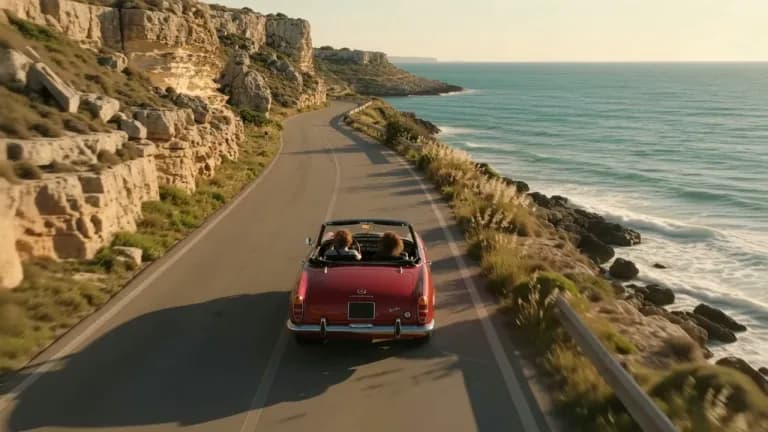
Continue the scene.
Extend video examples
- MiniMax H3 Max
Official sample
The red panda continues walking naturally along the log, then slows to a stop, lifts its head and tilts its ears toward a bird chirping above. Its striped tail gently settles behind it. Continue the same shot seamlessly, preserving the animal, forest, lighting and camera motion. Natural forest ambience and soft bird calls. No cuts, no new animals, no text or music.
- Wan 3.0
Official sample
Low-angle wide in the courtyard; clockwise full orbit around her, easing fast to slow. Five soldiers close in on staggered timing; she sweeps a low circular parry deflecting two spears, reverses grip to knock a shield rim aside, then a burning oil pot detonates at the gate - she drops her center, angles the guandao across her body, boots skidding back three meters over ice, slicing a flying burning plank aside. Her spin whips the mantle into a circular trail; the blast births an orange fireball and fan-shaped shockwave, snapping braid and hem taut backward. Sound: layered readable clashes, boots on ice, air-suck then deep boom, shrieking skid. Transition: burning plank grazes the lens from right, flame wipe.
- MiniMax H3 Max
Official sample
He walks with his dogs towards the village
- MiniMax H3 Max
Official sample
Continue seamlessly from the exact final frame of this candid phone video. The same young woman remains seated at the park picnic table. Her excited smile softens into a brief, genuine little laugh with one gentle shoulder movement, then she glances just to the side of the camera toward the friend filming and looks back with a relaxed closed-mouth grin. Her forearms stay resting on the table; the coffee cup stays exactly where it is. Only small spontaneous facial movements, a natural blink and quiet breathing. Keep her identity, green sweatshirt, flyaway hair, skin texture, ordinary park background, overcast daylight, framing and phone-camera exposure unchanged. Camera is held steadily by a seated friend with elbows braced: no drift, zoom, pan, shaking, jitter, wobble, cuts or reframing. This is five more seconds of the same ordinary moment, no new event, no new objects or people, no dramatic gestures, no beauty filter. Audio: a soft breathy chuckle settling into the same quiet background noise; no new words, no music, no added loud ambience.
Before and after: one clip, extended
A 5-second clip went in with one line of prompt. The video that came back is 13 seconds long: the original 5 seconds first, then 8 new ones.
Before: the 5-second clip
This is the whole source clip: a red convertible on a cliff road above the sea, 5 seconds at 720p. It went into the AI video extender with the prompt "Continue the scene." and an 8-second length.
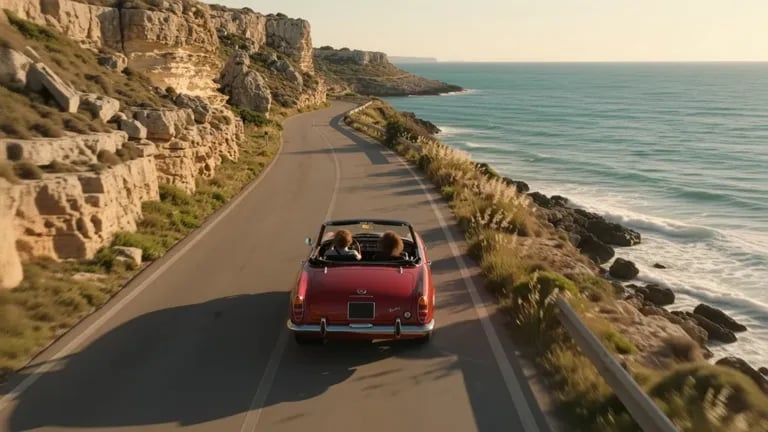
After: the same drive, 13 seconds long
The video that came back starts with the same 5 seconds and keeps going for 8 more. The AI video extender kept the same car, road, light and camera height, so the cut at second 5 is hard to spot. A short prompt like this lets the model pick the next moment; a longer one decides it for you, as the prompt guide below shows. This example comes from the model provider's own gallery.
How to extend a video with AI
Four steps from a short clip to a longer one, all in the browser.
- 1
Upload your clip
Drop in an MP4, MOV or WebM. It can be a clip you made with Omni Flash, another AI video, or footage from your phone. Any length works, because the model only looks at the last 10 seconds.
- 2
Write what happens next
Describe the next moment as if the camera never stopped: what the subject does, where the camera goes, and what we hear. Pick up the action where the clip ends rather than starting a new scene.
- 3
Pick the length and quality
Choose 3 to 10 new seconds and 360p, 720p, 1080p or 4K. The generator shows the credit cost before you run it, and it counts only the new seconds.
- 4
Download, or extend again
You get one file with your clip and the continuation joined. Need it longer still? Upload that result and extend it once more.
How long can you extend a video?
Up to 10 new seconds per run, and you can keep going.
Each run of the AI video extender adds 3 to 10 seconds. The model reads the last 10 seconds of your clip to learn who is in it, where they are, how the camera moves and what it sounds like, and it continues from the final frame. Anything earlier than those 10 seconds still stays in your video, but it does not steer the continuation.
To make a 15-second ad from a 5-second shot, extend it once by 10 seconds. To reach about 30 seconds, extend the result again: each run picks up where the last one ended, so plan the story in beats and write one prompt per beat. Google describes extension for Gemini Omni 1.2 Flash as reaching about 30 seconds in total, and longer chains tend to drift, so check each step before you add the next.
Extended clips keep the sound going
Most video extenders only talk about frames. Here is what the new seconds keep, and what you pay for.
Sound in the new part
The continuation comes with its own sound: ambience, effects, music or speech, the way Omni 1.2 Flash makes it for any clip. Ask for the sound you want in the prompt, such as "the engine fades as the car passes" or "the crowd keeps cheering".
Same people, place and light
Because the model studies your last 10 seconds, the subject, the setting, the colors and the camera height stay close to the original. Big changes, such as a new location or a different time of day, are better as a separate clip.
Your clip is free, the new seconds are not
The video you upload costs nothing to read. You are charged only for the 3 to 10 seconds the model adds, at the resolution you pick.
360p drafts up to 4K
Try the continuation at 360p for about a third of the 720p price. When the motion looks right, run the same prompt at 720p, 1080p or 4K for the final cut.
AI video extender pricing
Credits per new second, by resolution. An 8-second extension at 720p is 160 credits; the generator shows the exact cost before you run it.
- 360p
- 6 credits a second
- A 3-second draft is 18 credits
- 720p
- 20 credits a second
- The default; good for social posts
- 1080p
- 25 credits a second
- Upscaled by the model for sharper delivery
- 4K
- 50 credits a second
- Upscaled; for big screens and final masters
- Your uploaded clip
- Free
- Only the new seconds are charged
Prompts that continue a shot smoothly
Write the next beat, not a new scene.
Start from the last thing that happens in your clip and say what comes right after it. "Continue the scene" works when you are happy for the model to choose; a specific prompt gives you control. Keep the camera language consistent with the original, and add one line for sound.
For a car on a road: "The convertible keeps driving and rounds the bend; the camera follows from behind and rises slightly to show the sea. Wind and engine noise, gulls in the distance."
For a person speaking to the camera: "She finishes her sentence, smiles, and turns to point at the shelf behind her. The camera stays at eye level. She says: 'Everything here is handmade.'"
For a product shot: "The bottle keeps turning slowly until the label faces the camera, then the light dims to a soft glow. Quiet synth tone."
If the continuation jumps, the prompt is usually asking for too much. Cut it down to one action and one camera move, or extend in two shorter steps.
AI video extender questions
No. Each extension is charged by the new seconds and the resolution, and a new account gets 10 free credits, which is less than the shortest run. The cheapest extension is 3 seconds at 360p for 18 credits. Credits come from a plan or a credit pack on the pricing page, and the cost is shown before you run it.
No. The video extender only continues forward from the end of your clip. To get a new opening, make a separate clip with text to video or image to video and join the two in your editor.
Any length. The model reads the last 10 seconds, so a long clip is fine, but only its ending shapes what comes next. The whole original stays at the start of the result.
Yes. The extended seconds come with sound made by the model, and you can steer it in the prompt with lines such as "rain on the window" or "no music". For speech, write the exact line in quotes.
Gemini Omni 1.2 Flash, the video model Google released on November 5, 2026. This site is independent from Google and runs the model in your browser. The same model also makes clips from text, photos and reference images on the other tools here.
MP4, MOV, WebM and other common video files work. The result keeps your clip's landscape or portrait shape and comes back as one MP4 with the original and the continuation joined.
Yes. Phone footage, screen recordings and clips from other AI tools all work, as long as you have the right to use them. Results are best when the last seconds are steady and clearly show the subject.

Make your clip longer
Upload it, write the next moment, and get up to 10 more seconds with sound.